

Q-sys ECP or Q-Sys External Control Protocol is used to communicate with the Q-Sys Designer Software and firmware.
Q-sys ECP

| Name | Description |
|---|---|
| Remote Host | This is where the target IP address of the host can be input. |
| Remote Port | This is the port that the data package will be sent to. |
| Interface | This is the IP address of the local network interface (NIC) which should be used for this connection. |
| Is Connected | When on, the Q-Sys Designer is connected. |
| Login | If login credentials are needed |
| Username | Username to login with |
| Pin | Pin to login with |
Trigger Maps
Trigger Maps can be called among other things within interface objects like Buttons, Dropdowns, Timeline Trigger Layer, Areas, Nodes, and many more. There are 3 types of trigger maps available for Q-Sys ECP
Control Set String

| Name | Description |
|---|---|
| Control ID | ID for the control |
| String Value | String value to be passed over to Q-Sys Designer |
Control Set Value
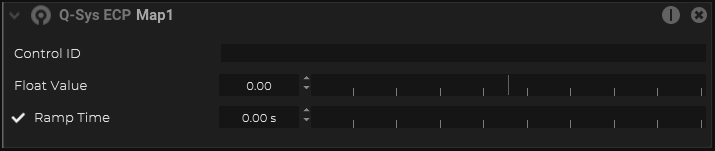
| Name | Description |
|---|---|
| Control ID | ID for the control |
| Float Value | Floast value to be passed over to the Q-Sys Designer |
| Ramp Time | Time in seconds to rmap up to the defined float value |
Custom Command

| Name | Description |
|---|---|
| Custom Message |