*This is only available for Virtual Production, and Full license.
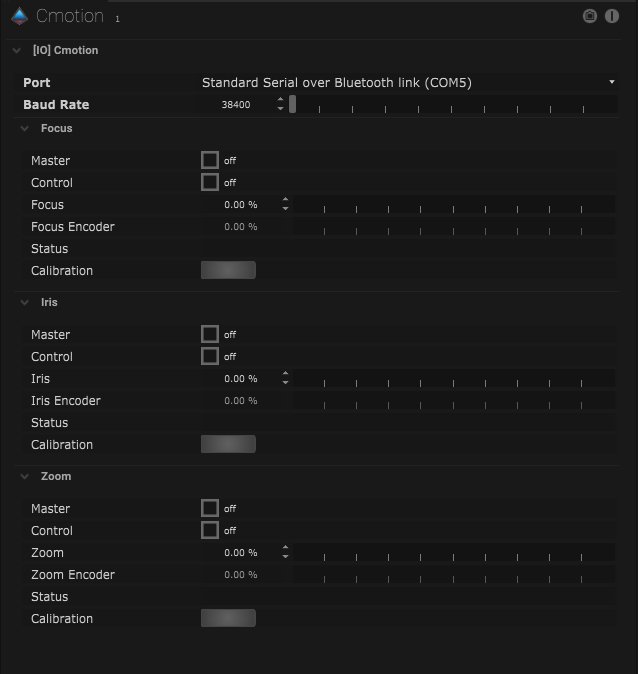
Cmotion Setup
| Name |
Description |
| Port |
- Don’t Connect
- Standard Serial over Bluetooth Link (COM4)
- Standard Serial over Bluetooth Link (COM5)
|
| Baud Rate |
This is the amount of information transferred per second. |
Focus
| Name |
Description |
| Master |
When on, master control is activated. |
| Control |
When on, the Cmotion protocol is in control of the parameter. |
| Focus |
This adjusts the focus by percentage. |
| Focus Encoder |
|
| Status |
The status of the protocol is displayed here. |
| Calibration |
Clicking the button will calibrate the focus. |
Iris
| Name |
Description |
| Master |
When on, master control is activated. |
| Control |
When on, the Cmotion protocol is in control of the parameter. |
| Iris |
This adjusts the iris by percentage. |
| Iris Encoder |
|
| Status |
The status of the protocol is displayed here. |
| Calibration |
Clicking the button will calibrate the focus. |
Zoom
| Name |
Description |
| Master |
When on, master control is activated. |
| Control |
When on, the Cmotion protocol is in control of the parameter. |
| Zoom |
This adjusts the zoom by percentage. |
| Zoom Encoder |
|
| Status |
The status of the protocol is displayed here. |
| Calibration |
Clicking the button will calibrate the focus. |
![]()
*Monitor the timing of the incoming data packages here.